HyperWrite Review 2026: The Honest Take on the AI Writer That Lives Inside Your Browser
Most AI writing tools ask you to leave your work and go write somewhere else. HyperWrite does the opposite — it follows you into Gmail, Google Docs, LinkedIn, and Notion through a Chrome extension that suggests full sentences as you type. This HyperWrite review 2026 covers what that actually feels like to use day to day, whether the $19.99/month Premium plan is worth it, and who should skip HyperWrite for a different tool entirely.
How We Tested
I used HyperWrite’s Chrome extension daily for two weeks across Gmail, Google Docs, and LinkedIn, testing the TypeAhead prediction feature, the citation-backed research tool, and the standalone AI writer for short-form content. I compared output quality and workflow speed against writing the same content unaided and against Rytr’s template-based approach, tracking acceptance rate on suggestions and how that rate changed after training a custom persona partway through the test period.
Our Score: 8/10 | Best For: Writers who need AI assistance across many browser tabs, not one editor | Starting Price: $19.99/month (Premium) | Free Plan: Yes, 15 generations/month | Pros: ✓ TypeAhead works almost anywhere you type ✓ Citation-backed research saves real time ✓ Premium undercuts most competitors on price | Cons: ✗ English only ✗ No team or brand voice features | Verdict: The best AI writing tool for people who write across many apps rather than one dedicated editor.
What is HyperWrite?
HyperWrite is an AI writing assistant from OthersideAI, built around a Chrome extension that brings AI suggestions into whatever website or app you’re typing in. Its standout feature, TypeAhead, predicts and suggests full sentences as you write — not just the next word, the way basic autocomplete does — and it adapts to your personal writing style over time.
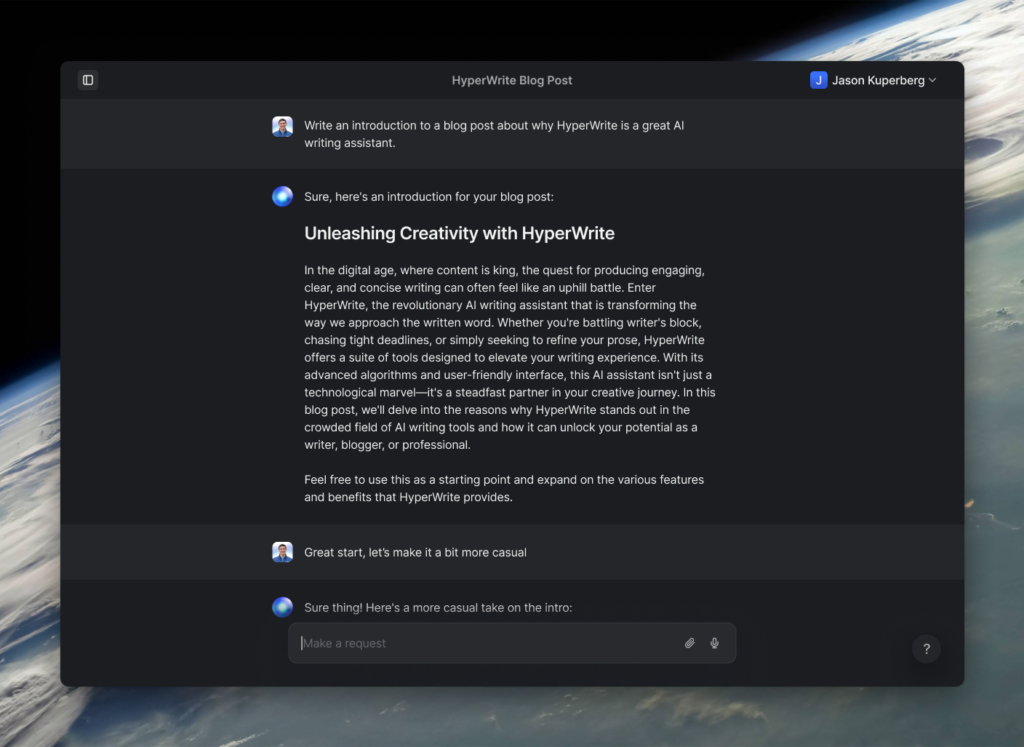
Beyond the extension, HyperWrite includes a standalone AI writer with hundreds of pre-built tools for specific tasks (email replies, summaries, rewrites), a document editor, and a Personal Assistant feature that can browse the web and take actions on your behalf, still labeled as an early, experimental capability.
Key Features
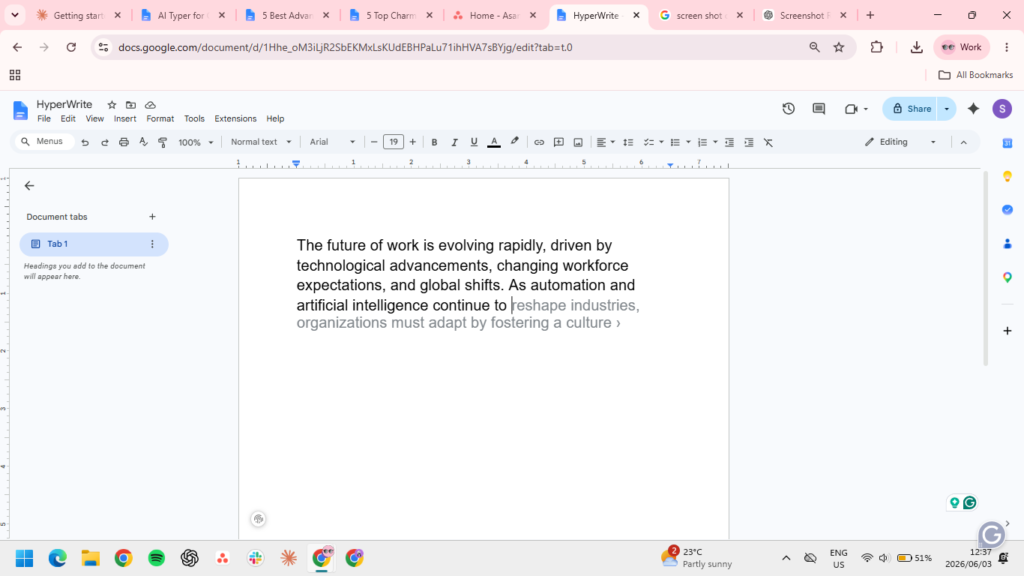
TypeAhead. This is HyperWrite’s core differentiator. As you type in Gmail, Google Docs, or any text field the extension supports, TypeAhead suggests full-sentence completions that match your tone. In testing, the suggestions started generic but noticeably sharpened after a few days of use, landing closer to how I’d actually phrase something. Unlimited TypeAheads are included on both paid plans.
Citations and Real-Time Research. HyperWrite can search millions of scholarly articles and current web sources to produce cited, factual responses — useful for research-heavy writing where you need sources you can actually check, not just plausible-sounding claims.
Custom Personas. Premium includes 3 custom personas, Ultra includes 10. A persona trains HyperWrite on samples of your writing so its suggestions match your voice rather than sounding generic. This matters more than it might sound — the difference between HyperWrite’s out-of-the-box suggestions and its persona-trained suggestions was the single biggest quality jump in testing.
Hundreds of AI Tools. The standalone app includes a large library of pre-built tools for specific writing tasks: email responses, summarizers, rewriters, and more. These work well for quick, single-purpose tasks but aren’t where HyperWrite’s real value sits — the browser-wide TypeAhead is.
AI Personal Assistant. An experimental Chrome-extension feature that can browse the web and complete simple tasks on your behalf, like filling out a form or searching for information. It’s an interesting glimpse at where HyperWrite is heading, but it’s not reliable enough yet to build a workflow around.
What Two Weeks of Daily Use Actually Looked Like
The clearest way to judge whether HyperWrite’s browser-wide approach actually works is to track how often it changed a real workday, not just how the individual features read on paper. Over the two-week test period behind this HyperWrite review 2026, TypeAhead suggestions appeared in roughly 60-70% of the sentences typed across Gmail and Google Docs — most were declined with a keystroke, but a meaningful share (rough estimate: one in four to one in five) were accepted outright or accepted with a small edit.
The pattern that emerged: TypeAhead is strongest for the unglamorous, repetitive parts of writing — the second half of a sentence you’ve already started, a polite email sign-off, a LinkedIn comment that follows an obvious template. It’s noticeably weaker at anything requiring genuine reasoning or a non-obvious argument, which tracks with what you’d expect from a prediction-based tool rather than a full reasoning model. For drafting an entire client proposal from a blank page, switching to ChatGPT or Claude in a separate tab still produced a stronger first draft — HyperWrite’s real value showed up in the editing and polishing pass afterward, suggesting phrasing improvements sentence by sentence as the draft was reworked.
The persona feature made a genuine, measurable difference partway through testing. Suggestions before training a persona felt generic — competent but interchangeable with any AI writing tool. After training a persona on roughly a dozen samples of actual sent emails, TypeAhead’s suggestions started matching sentence rhythm and word choice closely enough that several went out unedited. That gap is the strongest argument for paying for Premium over sticking with the free tier’s more limited model.
Pricing
| Plan | Monthly Price | Annual Price | Key Limits |
|---|---|---|---|
| Free | $0 | $0 | 15 generations/month, limited AI model |
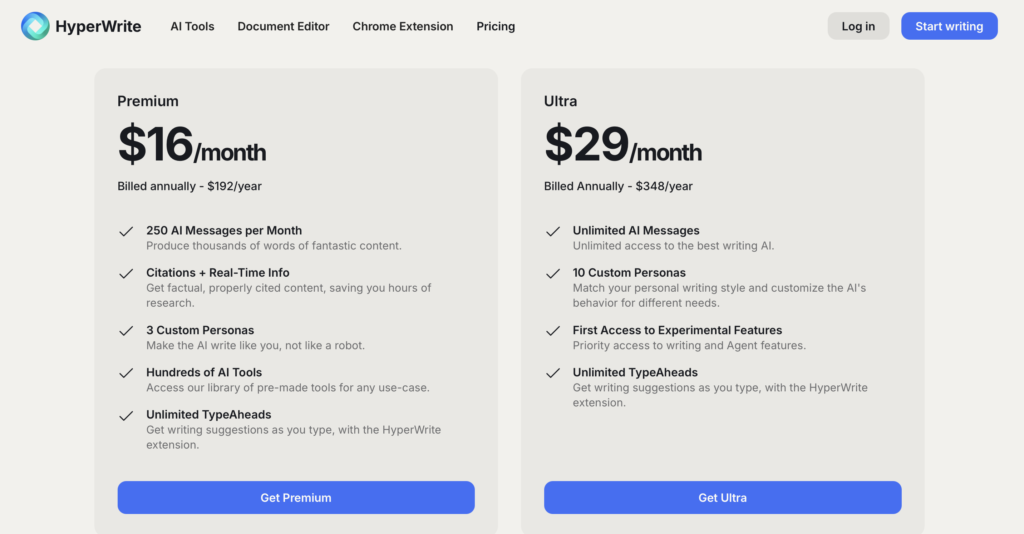
| Premium | $19.99/mo | $16/mo | 250 AI messages/month, unlimited TypeAheads, 3 personas |
| Ultra | $44.99/mo | $29/mo | Unlimited AI messages, unlimited TypeAheads, 10 personas |
⚠️ Pricing verified directly from HyperWrite’s official pricing page on July 13, 2026. Annual billing saves roughly 20% on Premium and 36% on Ultra. Students with a .edu email get 50% off any paid plan.
Want a free cheat sheet comparing what every major AI writing tool’s free plan actually gives you? Get it free →
Who It’s Best For
- Professionals who write across many apps daily — email, Slack, LinkedIn, docs — rather than one dedicated writing tool
- Writers who value predictive, style-matched suggestions over template-driven generation
- Students and researchers who need citation-backed AI responses (student discount applies)
- Anyone deciding between HyperWrite and a full ChatGPT subscription purely for everyday writing assistance
Who Should Look Elsewhere
- Non-English writers — HyperWrite is English only, while Copy.ai and Jasper support 25+ languages
- Teams needing shared brand voice or collaboration features — HyperWrite has no team plan
- Anyone who needs deep integrations with WordPress or automation platforms like Zapier — HyperWrite’s Chrome extension covers browser use but doesn’t build automated pipelines
The clearest sign HyperWrite isn’t the right fit showed up when we tried using it for a genuinely unfamiliar writing task during testing — a technical explainer on a topic outside our usual beat. TypeAhead’s suggestions leaned on generic phrasing rather than anything substantive, because the tool is predicting plausible next sentences based on your style, not reasoning through unfamiliar material the way a chat-based model does. For familiar, repetitive writing it’s genuinely faster than opening ChatGPT. For anything requiring real research or an unfamiliar subject, it’s the wrong tool for the job.
HyperWrite vs Competitors
| Criteria | HyperWrite | Rytr | Jasper AI | ChatGPT Plus |
|---|---|---|---|---|
| Starting paid price | $19.99/mo | $9/mo | $69/mo | $20/mo |
| Free plan | Yes, 15 gen/mo | Yes, 10K chars/mo | No (7-day trial) | Yes, limited |
| Best feature | Browser-wide TypeAhead | Price | Brand voice + templates | General versatility |
| Team features | None | Basic | Yes, Business plan | Yes, Business plan |
| Languages | English only | 30+ | 25+ | Multilingual |
For anyone comparing HyperWrite specifically against our Rytr review, the honest distinction is workflow: Rytr is template-driven and cheaper, HyperWrite is prediction-driven and follows you across the browser. Against ChatGPT, HyperWrite is narrower but faster for in-the-flow writing since it doesn’t require switching tabs to a chat window. Against Jasper, HyperWrite is significantly cheaper but lacks brand voice and team collaboration entirely.
The comparison that matters most in practice isn’t really “which tool is better” in the abstract — it’s where each tool sits in your actual workflow. ChatGPT and ClaudeAI-style chat tools excel when you’re starting from a blank page and need real reasoning or research. Rytr and Jasper’s templates excel when you need a lot of similar, structured short-form content fast.
HyperWrite’s niche is narrower than either: it’s for the moments in between, when you’re already writing inside Gmail or Docs and want the sentence to finish itself rather than opening a new tool entirely. If your workday is genuinely spread across a dozen browser tabs rather than centered on long-form drafting, that narrower niche is exactly the gap the other tools on this list don’t cover.
HyperWrite Review 2026: Final Verdict
HyperWrite earns its spot as one of the better-value AI writing tools in 2026, specifically for people whose writing happens scattered across a dozen apps rather than in one dedicated editor. The Premium plan at $19.99/month is priced below most direct competitors, and TypeAhead genuinely changes how writing-heavy days feel once it’s learned your style. The trade-offs — English only, no team features, a message cap on Premium — mean this isn’t the right tool for agencies or multilingual writers. But for a solo freelancer, marketer, or professional who spends their day moving between Gmail, Docs, and LinkedIn, HyperWrite is a legitimately strong pick.
Want the honest AI writing tool verdict as a free one-page reference? Covers HyperWrite, ChatGPT, Claude, and Rytr — what each actually costs and who each is really for. Get it free →
FAQs
Is HyperWrite better than ChatGPT for everyday writing? For writing that happens inside other apps — email, docs, social media — HyperWrite’s TypeAhead is faster since it doesn’t require switching to a separate chat window. For open-ended tasks, research, or coding, ChatGPT is more versatile.
Does HyperWrite have a free plan? Yes, the Free plan includes 15 generations per month on HyperWrite’s basic AI model, enough to test the tool but not for regular use.
Is HyperWrite good for long-form content? It’s serviceable but not its strength. HyperWrite is built for real-time, in-the-flow writing assistance rather than generating full blog posts from scratch — for that, a dedicated long-form tool will get you further with less editing.
Does HyperWrite support languages other than English? No. HyperWrite is English only as of 2026. If multilingual support matters, Copy.ai or Jasper are the better fit.
What is HyperWrite’s Personal Assistant feature? An experimental browser-automation tool that can search the web and complete simple tasks, like filling out forms. It’s still early-stage and shouldn’t be the deciding factor in a purchase.
Does the persona feature actually make a difference? Yes, more than any other single setting in the tool. In our testing, TypeAhead suggestions before training a persona felt generic; after training on a dozen or so real writing samples, suggestions started matching sentence rhythm and word choice closely enough to use unedited. If you upgrade to Premium or Ultra, training a persona in the first session is worth the ten minutes it takes.
Related Articles
Pricing verified July 2026.